
Hypic Prompt Text: For AI Photo Editing
Hypic prompt is a smart feature that lets you transform your photo using just a text input. Want to add blue sky, colourful flowers, or beautiful background scenery to your photo? Just type your prompt, and Hypic will automatically update your image based on your text.
In this article, I’ll tell you how to use this tool for creative photo editing. You’ll also find various prompt ideas that help generate beautiful scenes in your photos, like birds, a dreamy landscape, or a stunning garden.
Hypic – Photo Editor & AI Art
Hypic is a well-known photo editing app developed by the Bytedance company. With the Hypic app, you can convert your images into gorgeous visuals.
The Hypic app also provides AI-powered tools, including AI cutout, photo enhancement, object removal, and batch editing. It features a clean and user-friendly interface, making the editing process smooth and easy.
Hypic Prompt Ideas
If you want to add a unique and creative background to your photos. This feature can help you create them in just seconds. I shared some prompts you can easily copy and use for your edits.

Create a dreamy beach scene with a calm blue sea and palm trees swaying gently in the breeze. The sky glows in shades of orange and pink at sunset.
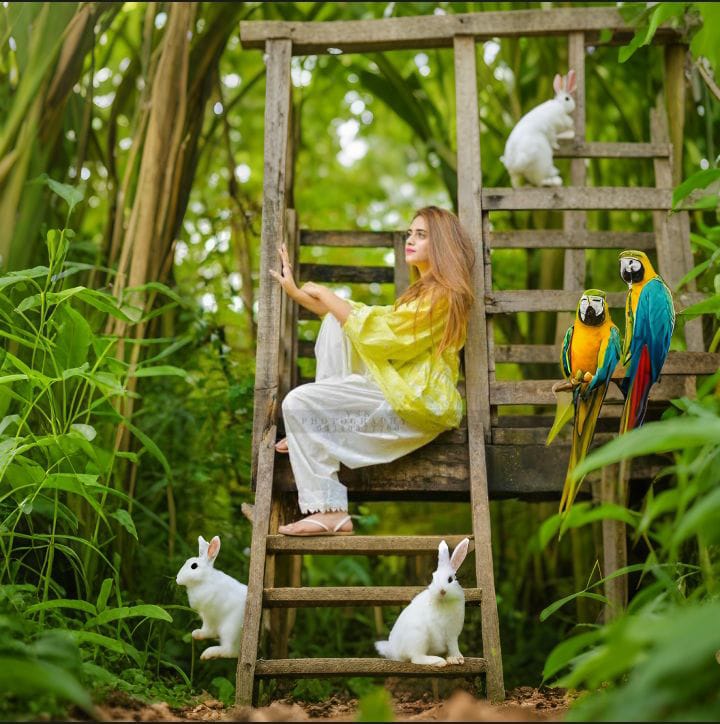
A magical forest where little animals like rabbits and colorful parrots wander freely among the lush green trees.
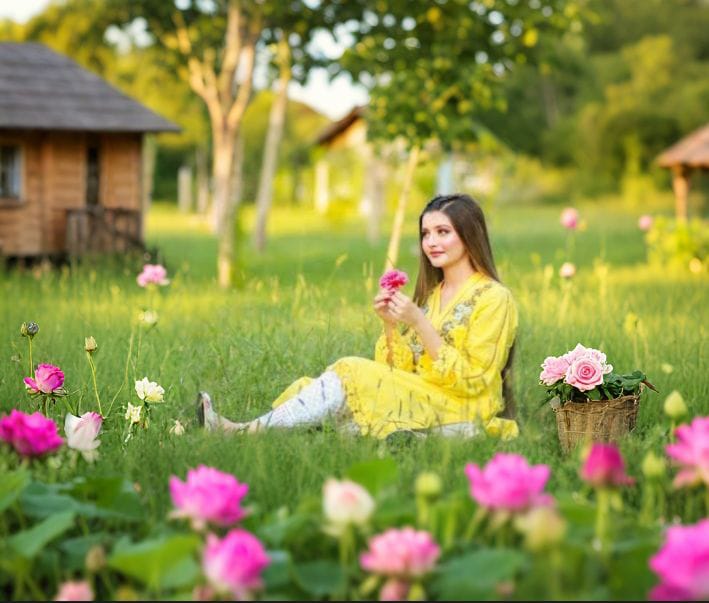
Imagine a peaceful garden filled with blooming roses, sunflowers, and lotus flowers. A small stone cottage stands in the background, bathed in warm sunlight that glows in the sky.

Create a snowfall scene with soft white snow covering the mountains and trees. A wooden cabin glows warmly in the distance as snowflakes drift through the air.

There is a view of the camel caravan stretching far and wide in the golden dunes. The sun is setting in the sky, and a light breeze is blowing.

A small lake where lotus flowers are blooming, and the reflection of the mountains behind is visible in the water. A gentle breeze ripples the water’s surface.
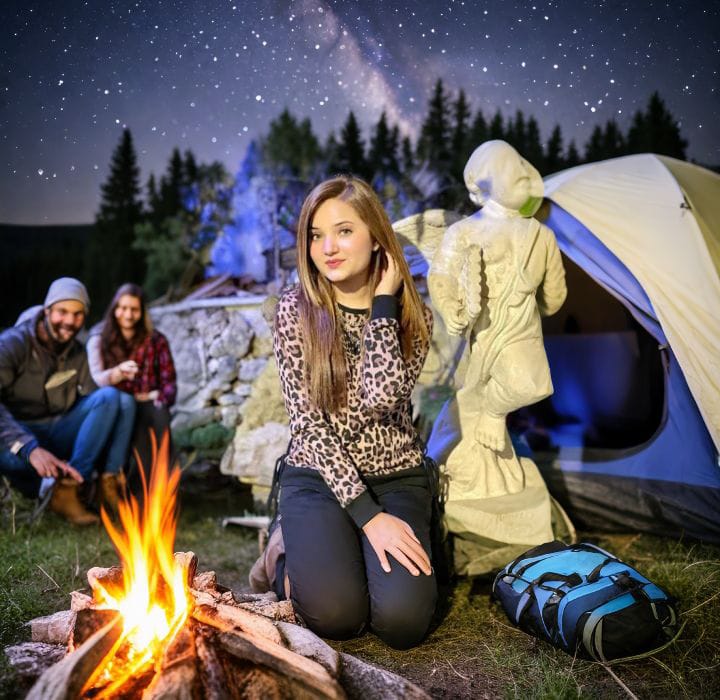
The night sky is filled with bright stars and the Milky Way. Dimly lit tents nearby host people gathered around a glowing bonfire.
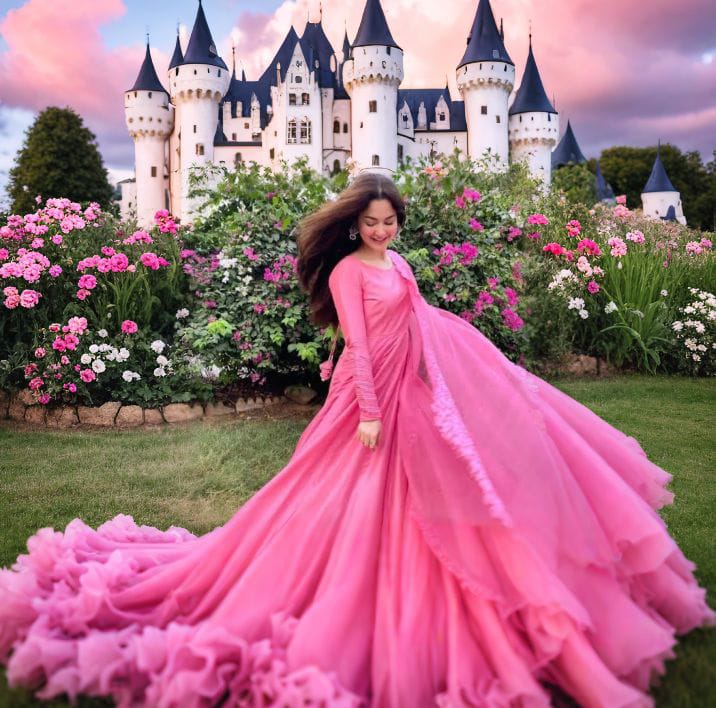
Design a fairytale castle surrounded by colourful flowers and lush green grass. Light pink clouds drift across the dreamy sky above.
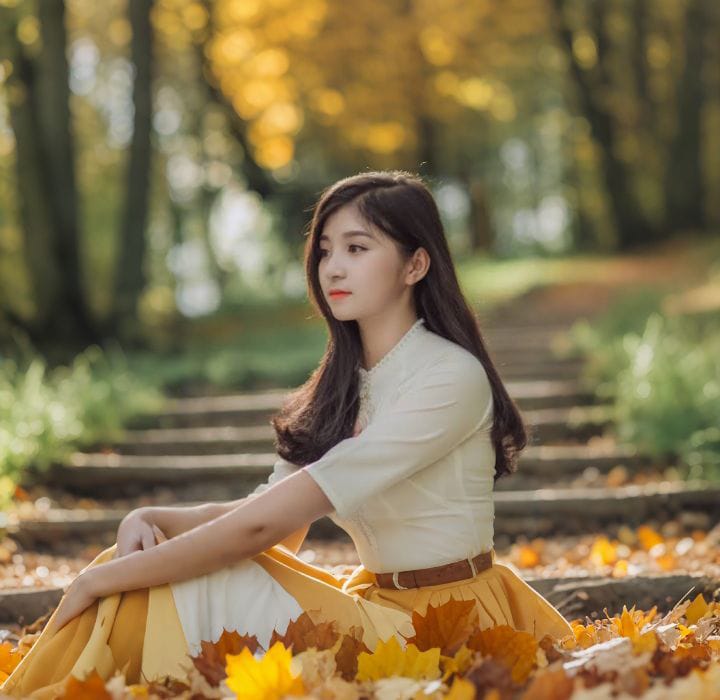
An autumn forest where orange and yellow leaves blanket the ground. A narrow path winds into the distance between the trees.
How to Edit Photos with Hypic Prompt Text?
This feature can easily convert your simple photos into dreamy visuals. Whether you want a sunset beach or a dreamy garden in your picture, enter your prompt, and the app will automatically make a scene for you.
- Open the Hypic app on your device.
- Add the photo you want to edit.
- Select the adjust option and crop the photo.
- Click on the AI expand option.
- Enter your prompt text.
- After that, tap on generate, and your creative photo will be ready in seconds.
Conclusion
I hope you’ve liked this article. We discussed how you can use the Hypic AI expand tool to create impressive and dramatic images. You can also showcase these beautiful photos on social media platforms like Instagram, TikTok, and Snapchat.